How to Use CRM for Sales Coaching and Training
Sales coaching and training are critical investments for small business success. Yet many owners struggle to find time for structured development while managing day-to-day operations. The solution? Leveraging your CRM platform as a coaching tool. A modern CRM like YourWayCRM provides the data and insights you need to coach your sales team effectively and measure improvement over time.
Why CRM Data is Essential for Sales Coaching
Effective coaching requires visibility into what's actually happening in your sales process. Generic advice rarely sticks. But when you show a team member their specific pipeline data, win rates, or follow-up patterns, coaching becomes personal and actionable.
Your CRM captures valuable metrics that reveal coaching opportunities:
- Deal velocity: How long deals typically stay in each stage
- Win/loss rates: Which reps close most effectively
- Activity metrics: Calls, emails, and meetings logged per rep
- Customer interactions: Complete history of touchpoints and communication
- Pipeline health: Deal value, stage progression, and forecast accuracy
This data eliminates guesswork from coaching conversations. Instead of assuming what your team needs to improve, you can identify specific gaps and address them with evidence-based feedback.
Using CRM Data for One-on-One Coaching Sessions
Transform your regular check-ins into productive coaching moments by reviewing CRM data together. Start by pulling reports on individual performance and discussing the numbers openly.
Ask questions like:
- Why are deals taking longer to move through your pipeline than the team average?
- Which stages have the highest drop-off rates for your deals?
- Are you following up consistently with prospects in your pipeline?
- What activities preceded your most recent wins?
This approach shifts coaching from directive to collaborative. Your team members become invested in improving their metrics because they see the data themselves. They understand the "why" behind coaching suggestions.
Identifying Training Gaps Through CRM Analytics
CRM data reveals patterns that point to training needs across your entire team. If most reps struggle with a particular stage—like moving prospects from proposal to close—that's a team training opportunity.
Look for these common patterns:
- Low activity levels: Indicates need for prospecting or time management training
- High deal abandonment: Suggests weak follow-up skills or pipeline management training
- Long sales cycles: Points to gaps in discovery, qualification, or closing techniques
- Low win rates: May indicate objection handling or negotiation training needs
- Inconsistent forecasting: Shows reps need better pipeline management training
Once you identify these gaps, you can schedule targeted training sessions. Use real deals from your CRM as case studies to make training practical and relevant.
Creating Accountability Through CRM Dashboards
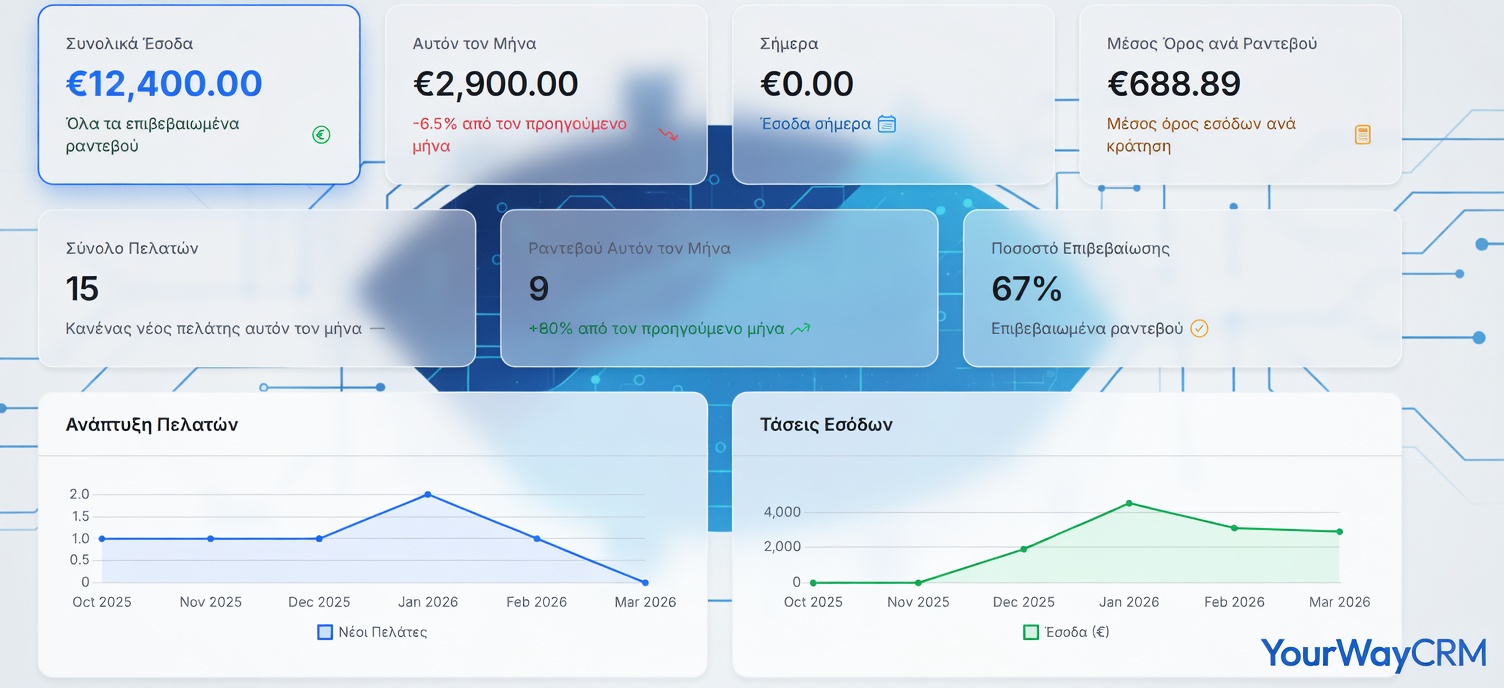
Dashboards make coaching sustainable. When your team has visibility into their own metrics through a CRM dashboard, they become self-motivated to improve. There's no need for constant nagging—the data speaks for itself.
Set up dashboards that show each rep:
- Daily activity targets and actual activity completed
- Pipeline value and stage breakdown
- Weekly and monthly win rates
- Average deal size and sales cycle length
- Forecast accuracy compared to actual results
Regular check-ins become about discussing why metrics moved in certain directions and what adjustments are needed. This creates a culture of accountability without micromanagement.
Using CRM for Peer Learning and Best Practices
Your top performers have valuable techniques worth sharing. Use your CRM to identify what they're doing differently. Then create peer coaching opportunities.
For example, if one rep consistently closes larger deals, examine their pipeline management approach. Have them share their process with the team. If another rep has excellent follow-up discipline, ask them to mentor struggling team members.
YourWayCRM makes this easier by allowing you to share pipeline examples and create training materials based on real, successful deals from your business.
Tracking Training Progress and ROI
The best part about using CRM for coaching? You can measure whether training actually works. Set baseline metrics before training, implement the training, then track improvement over time.
Common metrics to track:
- Average deal size before and after training
- Sales cycle length improvements
- Win rate changes
- Activity level increases
- Pipeline value growth
Document these improvements. They justify your investment in training and help you decide which coaching approaches work best for your team.
Getting Started with CRM-Based Sales Coaching
You don't need a complex system to start. Begin with these simple steps:
- Audit your current CRM data quality: Ensure reps are logging activities and updating deals consistently
- Set clear metrics: Define what success looks like for your team
- Schedule regular coaching conversations: Weekly or bi-weekly one-on-ones focused on CRM data
- Create simple dashboards: Show reps their key metrics in real time
- Document best practices: Capture what works and share it with the team
With YourWayCRM, you have all the tools needed to implement this approach. The platform gives you visibility into your sales process while remaining simple enough for small teams to adopt quickly.
Conclusion
Sales coaching doesn't require expensive consultants or complicated programs. It requires data, consistency, and a commitment to helping your team improve. Your CRM is the perfect foundation for this approach. By using CRM data to guide coaching conversations, identify training needs, and track progress, you'll build a stronger sales team and grow your business. Start today by reviewing your team's CRM metrics and scheduling your first data-driven coaching session.